
HARBOR + SCAD Week 4
Slap comps all shots and Z depth focus
HARBOR
1/29/20257 min read
Update 6
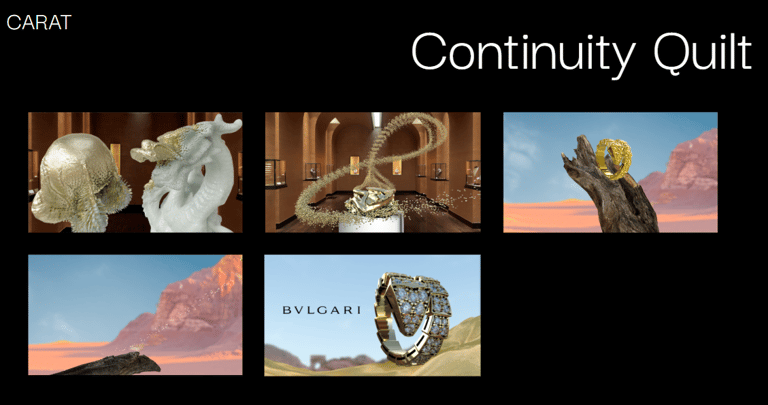
Continuity Quilt
This week, it was essential to see how our advertisement video is going and how well it is blending. This is why I started working on the continuity quilt; this allows us to see as a team what is missing, how every shot is working with the others, and what things we need to improve on. Having this Quilt allows us to see the bigger picture because the ad, seen as a whole, is one of the most important things. As VFX, we tend to be detail-oriented, which is fantastic, but we also need to learn that every plate and decision is taken to improve the entire story.
Update 5
First comps / slap comps
For the first time in the process, I received renders and matte paintings that we could use to create a slap composition. This is one of my favorite moments of the process because we can start understanding what the final ad will look like. Since we changed the story, it is exciting to see how our story ideas evolve and become real in creating elements and plates.
Getting renders from the first time can be challenging as a team, so we experimented with some pipeline issues. Due to some challenges encountered with the texturing and rendering processes, the project timeline for this week has been affected. As a result, I’ve had less time to focus on the compositing than initially planned. But I know this is how it works in the industry; we need to be flexible and adapt to the challenges and situations presented.
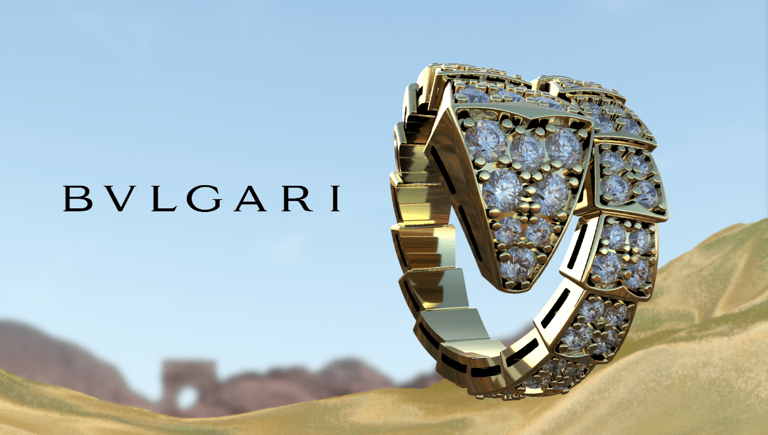
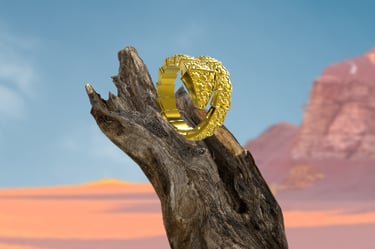
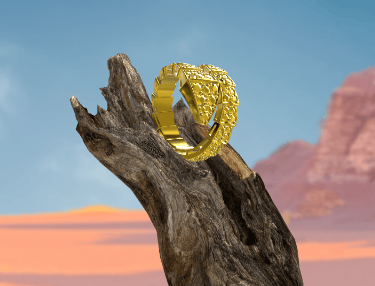
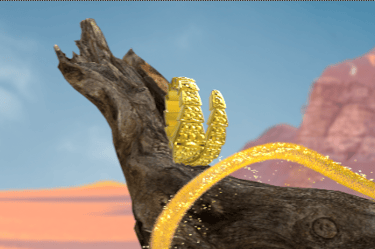
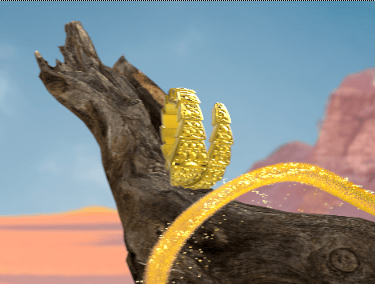
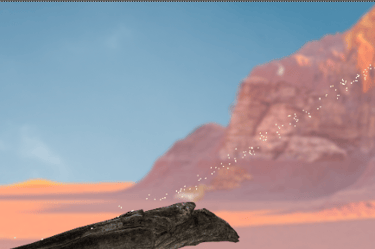
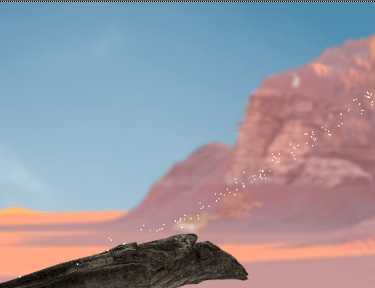
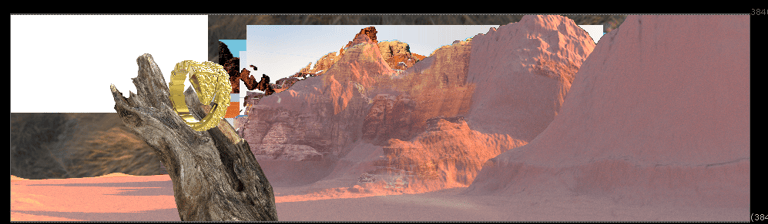
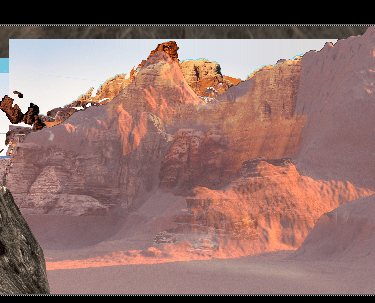
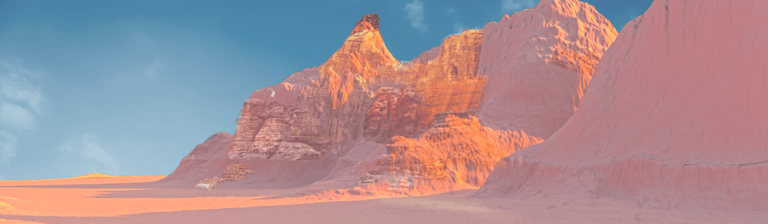
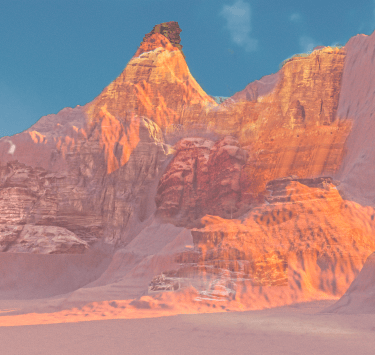
To finish the compositing in less than a day, I started working on the ad backward. I did the beauty shot (3-1). At first, for this, we needed to play with the composition because it was the first time we were mixing the matte painting, the particles, and the new ring texturing. I developed five composition alternatives, mixing the matte painting, the recommendations of the professors and my team, and all of the other elements. Here are some of the compositions.


All of this varies on the position of the matte painting and the position of the particles; I even made a test with the duplicated particles. This test allowed us as a team to decide which was better, and we decided to keep option #5. So, with this decision, I started working on setting up the latest version of the ring (this test is with the old version); I also set up the sand a little better, as well as the matte painting. After sending some versions to the team, we decided that we would keep the matte painting blurred for the shots so it does not deviate the attention from the ring. Next week, I will try to enhance this shot with Z-depth to see if that gives it a better and more natural look.
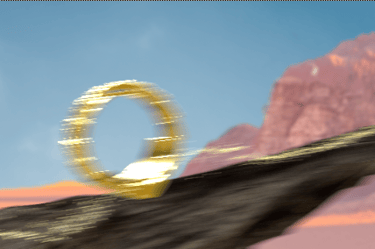
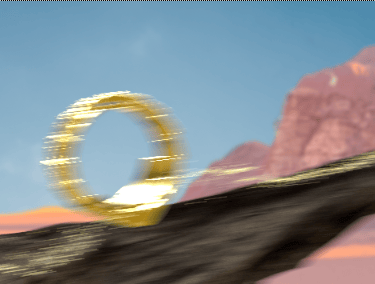
I also worked on getting the set up for 2-1, in which we have a new particle FX that will create the ring coming from the dragon's particles. In this shot, we rendered some of it, but the new particles are still not fully rendered or textured. But there is a first pass on what the composite looks like. I also worked with Zane for this and the last shot because he is developing the matte paintings. The uploaded matte paintings for this part had sky problems, so I had to place a temporary sky, which can be fixed for next week. I also had to work on getting both parts of this shot because the two FX artists worked on the two particles separately.
Update 4
Shot 1-1, 1-2
Rack focus
I want to shout out to my team because we all helped each other achieve our final goal, even when it was hard. We had to meet about renders, AOVs, textures, and missing frames. We also had many problems with Z-Depth not appearing, but I will expand on that later by describing shots 1-1. But all of the time, we all worked as a team with one goal: to get this advertisement to the next level.
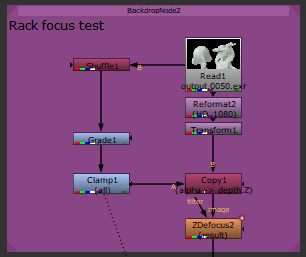
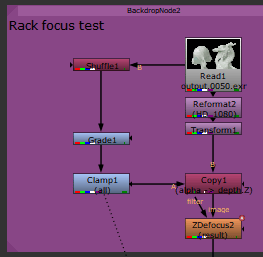
Last week, we could not get the Z depth to appear in the renders; this week, we worked as a team so that the z depth would work properly. We did multiple render tests along with Zane and Yilin, and we made it work; the first thing we fixed was the lighting, and then we worked on setting the AOV correctly. After multiple attempts, the Z depth started appearing in Nuke; the values were low, so I brought them back with a shuffle and a grade node to bring it up and get it working, and also I clamp the values, which is essential to get them in a rage between 1 and 0. I did the first tests of the rack focus this week, but it still needs work. I think it is still not working as I want it to work.
Update 3
Reworking the story as a team
As a team, we had an extensive meeting about how to take the mentor's feedback into the storytelling and the camera work. For this, we adopted Molly's idea of using the snake transformation effect we had on shots 2-1 and 2-2 and incorporated it into this first scene. The idea is that in the first scene, the dragon will have a Rag focus, and it will start transforming into gold with the snake texture change, which determines the end of the dragon year. After that, we will go to shot1-2, where the gold will disintegrate, and the ring will begin being created as it goes into the abstract world (this will have a new camera movement).
When we get to the abstract world in shots 2-1, the ring falls into a branch, where it starts the journey of the new year of the snake; it is followed by the power of gold and diamond particles into this luxurious world. Then, we will go into our final shot, which will be the beauty shot of the ring and an abstract dessert directly connected to Bulgari's primary marketing campaign for the Serpenti collection this year.
Update 1
Meeting with Harbor
Last week as a team we decided to change on the story and replace a Diamond on the first two scenes. Despites our best efforts to improve the story, some of the mentors did not like this change, so we had to go back to the storyboard and draft new ideas. Here is some of the other feedback they gave us this week.
Ring look dev is looking pretty good but:
The ring needs higher reflection.
The rings needs beveling but be careful not too much edge sharp.
Ring suddenly appears, it feels strange
They liked the dragon changed to Jade
Evaluate the ring in the transformation of the gold branch. Will the ring get lost in all of the gold elements.
Figure out camera moves to determine priorities.
Dragon becomes snake, skip the diamond
End frame starting to look awesome - Maybe move over a little to the left.
Incorporate Snake Skin effect on shot 1-1 instead of on shot 2-1
Update 2
Creating an HDRI so it is easier for lighting to mimic the 2.5 D projection - TEST
This week, we decided to use the image we had for the 2.5 D projection and expand it to be an HDRI; this will be more for lighting reference and to test if this lighting matches the scene.
This is not the ideal situation because this is not a 32-bit image. We downloaded a good-quality image from the internet, but it does not have the same color depth as an HDRI made the proper way. But for the VFX industry, and especially as a compositor, the best way of finding a solution is trying new ideas with quick tests that can determine if this could work or not.
To transform this into an HDRI, I downloaded one of the free HDRIs from Polyhaven onto my computer; with the help of Photoshop, I used the original image we had and expanded it to mimic the original environment elements. I will show how it started and the result. Of course, I had to play with converting the image to the 32-bit resolution so it could be read as an HDRI. I figured out how to help the resolution, and everything worked as closely as possible to get to an HDRI. After that, I sent it to Zane to see if that would be a helpful solution for him.
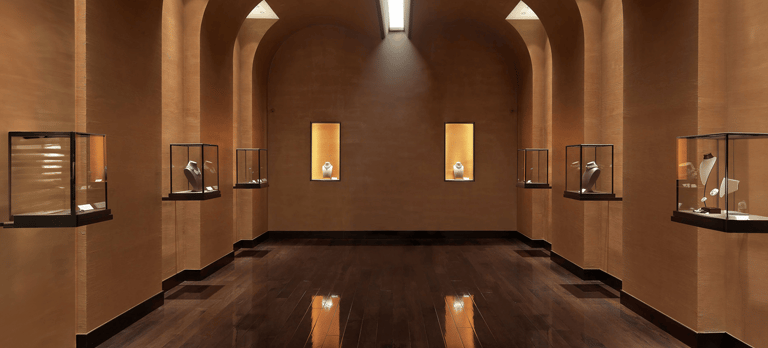
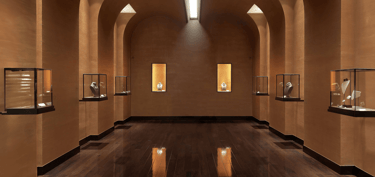
This test does not have the proper exposure changes, the correct curvature the fish eye lens or the mirror ball gives to create that 360-round ball. So, I expect to see if this is helpful or if it is better to set up the lights and mimic the projection straight up. In any case, the important thing is to do what looks and works better for the project.
VFX compositor
Showcase of my VFX art and projects.
© 2025. All rights reserved.