
HARBOR + SCAD Week 3
2D projection, embracing camera moves, working on the advertisment, a little bit of compositing.
HARBOR
1/21/20256 min read
January 21 th - 2025
Meeting with Harbor - New Ideas - New feedback
This time around we had a meeting with our mentors, and they gave us feedback to improve our advertisment:
Jade is not a see trought stone (dense rock) - re think having the jade, pick a different stone.
Why does the ring has to be in the ball? - maybe the dragon holding it
Previs enviroments for the dessert are not readable.
The ring is flipping to much on the scene, they liked the closeups but it is to long. (keep the macro closeups to one)
Don't use the Jen library location for shooting
Make the first scene shot one color
Evaluate how to merge the desintegration and the particle trail seem like one effect.
Ring needs a little bit more work
Delete the super close up from the beggining or merge it with shot 1-2, what if effects begin in shot 1-2?
Shot 1 - 3 is too long, maybe stop and move into a beauty shot?
Shot 2-1 is too short - show more of the branch and the effect.
Branding for Bulgari is specific - Architecture for bulgari can be specific - try to match that locations
The texturing for the dragon should change to a better wood texture - it does not give bulgari. (wood texture example on Mias website).
Maybe change the first scene to not me live action but to be 2.5 D, photography and a projection into a moving plate. (3D track and re projection of the background)
Use photos insead of filming
Brands have specific fractions for IORs look into Bulgaris.
We will try to work on all of the elements that the mentors suggested as soon as possible, the idea is to have a meeting and set up our priorities depending on our roles in the production.
Organizing - Update 2
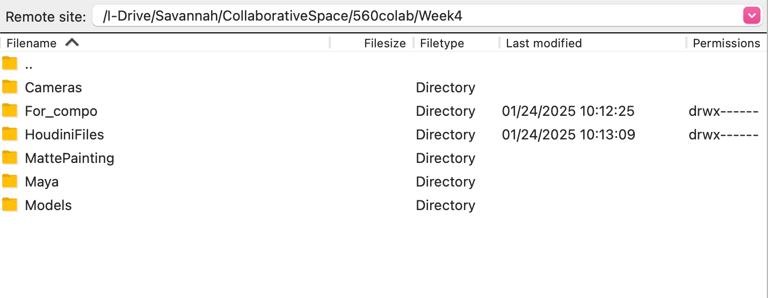
As a compositor, I have learned the importance of keeping files clean and accessible to everyone. For that, I created a Collaboration Space to hold all our files in case somebody needed access. Also, it would be easier to access all of these elements at once for comping. After talking with the team, we decided on a naming convention that could help find all of the assets and scenes we are managing. These name conventions are easy to recognize and help keep things in order, such as the folders inside the collaboration space. Here are some of the organizations inside this space.
As you can see, we decided to work by week and have subfolders each week to organize our progress by date, software, and renders. This will allow us to work more efficiently and promote teamwork because it will avoid misunderstandings.
Editing - Update 3
One of the biggest challenges this week was enhancing the previs, adjusting our camera angles to reflect our story better, cutting some scenes, and getting a better rhythm on the editing for the story. For that, I want to give a shoutout to my team; they are excellent at teamwork and improving each of the shots. I oversaw editing and pacing as often as needed to enhance our previs.
First, we changed camera movements to enhance the story and what we wanted to tell. Then, with the professors hand in hand, we decided to exclude the ring from the first two shots and make it a diamond that can transform into this new world and new year that we are communicating in our advertisement. For this task, my job was to edit multiple versions of a previs so we could set on a story.
These new cuts represented a challenge for us as a team because of the snow and the closing of some sacred buildings. Still, despite all of these inconveniences, we managed to make multiple editing versions until we got to our last version of the week, for this process I made 7 versions of the edit, that were evloving while the advertisment was changing during the week.
2.5D projections - Update 4
For this week, as the mentors requested, I have been testing 2.5 projections to replace our live-action shooting to make it more cohesive with the theme and setup Bulgari presents to their clients. This change will make a difference and improve our story and ideas, and one of the most incredible things about this class is getting feedback that elevates our projects to the next level.
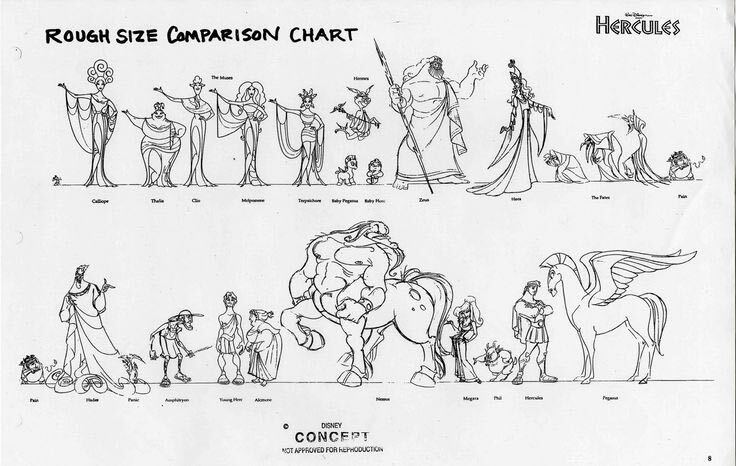
I started researching ways to improve 2.5D projections. I have previously worked with 2D projecting in Maya and made some tests inside Maya with the FBX that my teammates sent me. This scene presents some scale problems that we need to work on as a team next week because the scale of the museum scene inside the projection was misaligned. But this did not stop me from doing temporary fixes and getting the tests done so we could be on time this week with these tests. The idea will be to start doing the proper scene for next week with all of the changes. The professors suggested making a scale chart to fix the scale so we could all keep our measurements correct and work on getting to the scales of our references, as shown in the following image.
Going back to the projection, I have been researching how to make this projection on Nuke to see which would be more beneficial when rendering and which would look better in comp. For this test, as I mentioned before, I used Maya and multiple backgrounds and images to see which one better represented the space the dragon needed to be in.
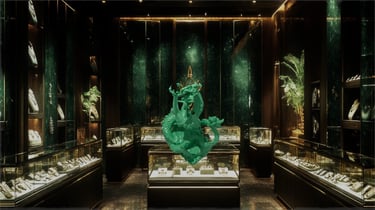
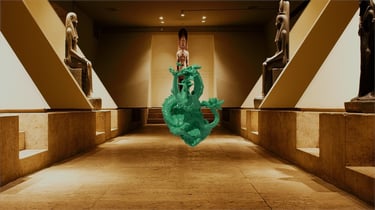
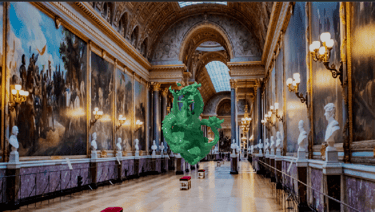
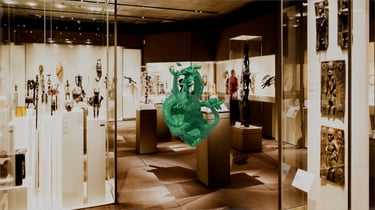
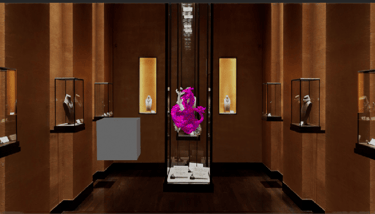
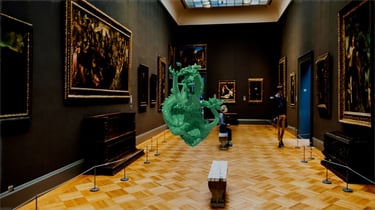
After doing these tests, I worked on the one we liked better: the image from the Bulgari space that Billy mentioned in our last meeting with the mentors. But the middle looked weird, so I cleaned up the glass and provided a clean space so the dragon could be the protagonist in the scene. For this, I used Photoshop, and I cleaned up the original image that was projected. I worked on re-setting it up, and here are the final photos of that last step.
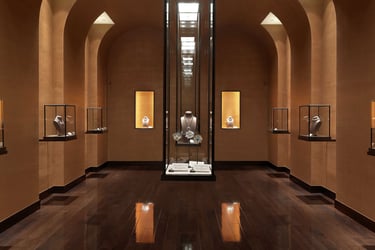
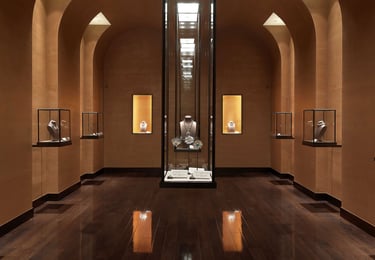
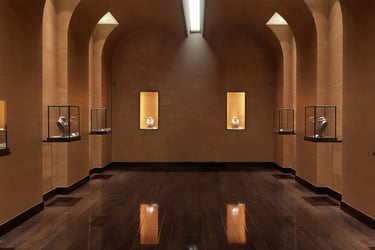
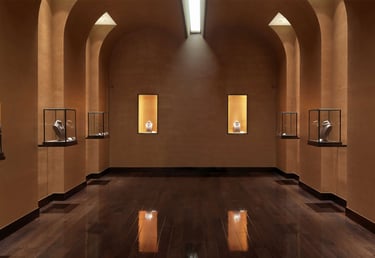
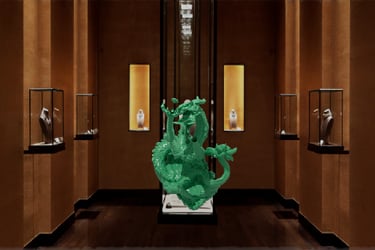
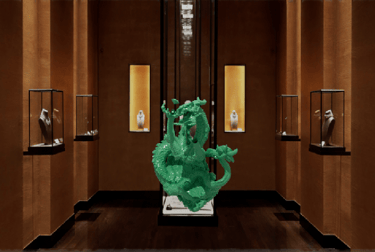
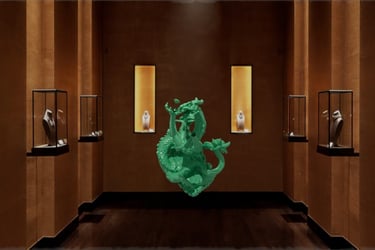
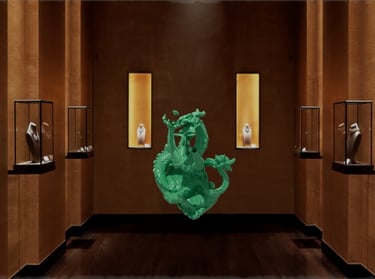
This was the last test I did for the 2.5D projection this week. The idea is to keep improving this projection and compositing throughout the weeks we have left in the quarter with my team, working with the feedback from the professors and the mentors and everything they suggest to improve this project.
Slap comps - Update 5
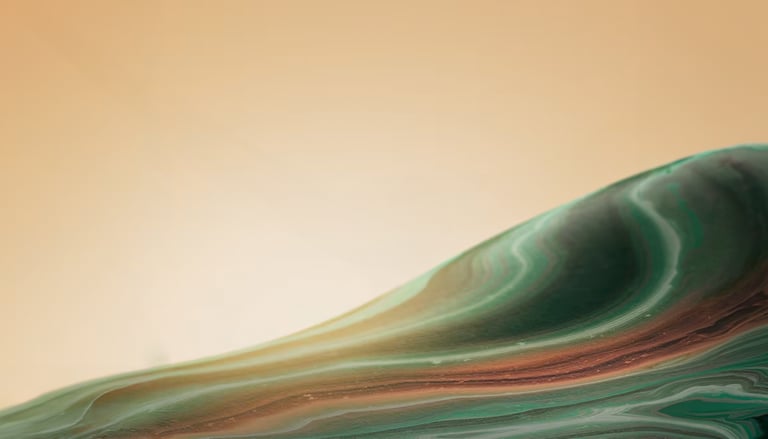
I was able to work on two slap comps for this week. I will start talking with the first one I worked on, which is the compositing for the shot 3-1. For this shoot, I got the ring textured and with some lighting, but it was necessary to show it in context and what we were aiming for because, last time, this was a little confusing during our presentation. Since this was not at the top of our list of priorities, I decided to play with the render of the ring Mia provided me.
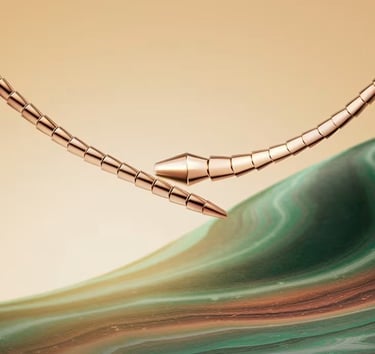
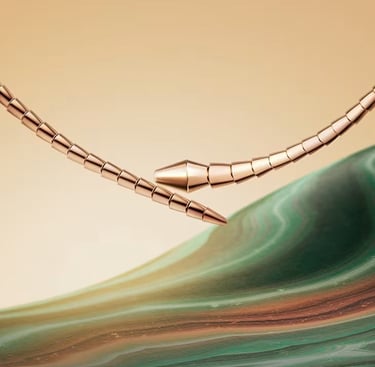
I started by setting up the background, so I downloaded the picture from Bulgari's website, which was our reference. Then, I worked on comping and expanding the image and deleting the ring. Then, I used the movement of the ring, made a compo of the ring, and added the Bulgari logo to give it a finishing touch. I color-corrected the ring to match it better, but we will relight it and render it with the bounces of colors from the ground on the ring.

VFX compositor
Showcase of my VFX art and projects.
© 2025. All rights reserved.